![2N-logo2018-logo-white-1.png]](https://kb.2ndnaturewater.com/hs-fs/hubfs/2N-logo2018-logo-white-1.png?height=40&name=2N-logo2018-logo-white-1.png)
In this article:
What is the Collaboration Portal?
The Collaboration Portal is a feature of 2NFORM - software used by municipal stormwater programs to streamline their compliance with federal and state regulations related to the Clean Water Act. The Collaboration Portal provides a simple, digital interface for stormwater programs to gather the required information and evidence they need from private parties to show compliance.
- The stormwater program generates a maintenance notice to share with private parties, providing an overview of the regulation, the specific information related to the project or facility, a custom QR code and URL to the digital data entry form, and instructions on what to do.
- The data entry form ensures that all required information is provided before submission, reducing the likelihood of incomplete forms that require a lot of back-and-forth.
- As the private party, you can choose to email yourself a copy of the form or download it directly, giving you the flexibility to manage your files as you want.
Submitting a Response
Make sure the name and address information at the top of the form match your maintenance notice letter. If it does not, contact your stormwater department.
The Collaboration Portal digital data entry form requires 3 information fields for submission:
- Notes within each card related to structural BMP maintenance or facility inspection findings. Open each card to access the notes field.
- Full Name of the person completing the form.
- Signature of the person completing the form.
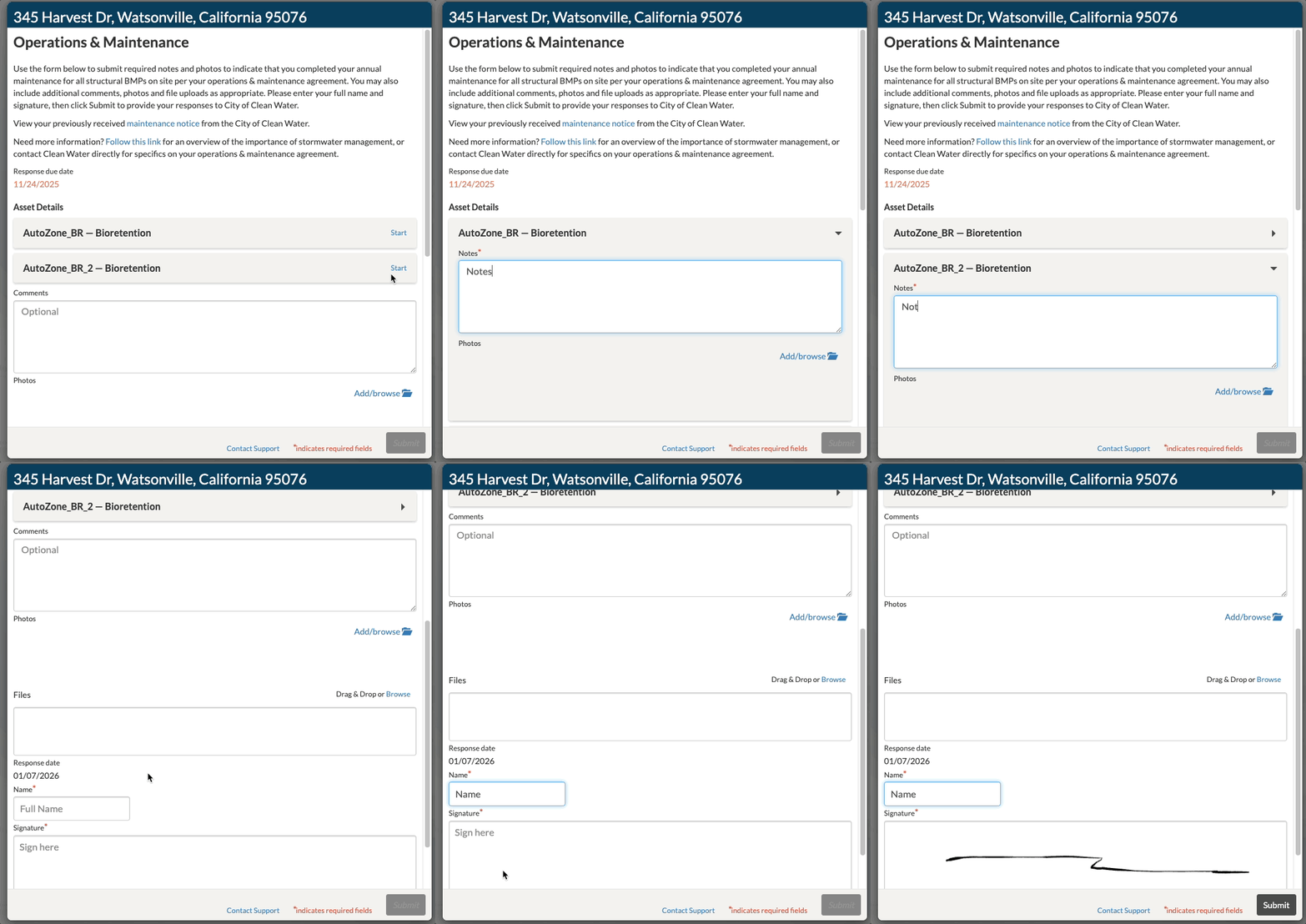
The Submit button will not be enabled until this information is completed.
Additional information can be provided:
- Photos attached to specific structural BMPs or inspection findings.
- General site photos
- Additional site comments
- Files, like inspection reports
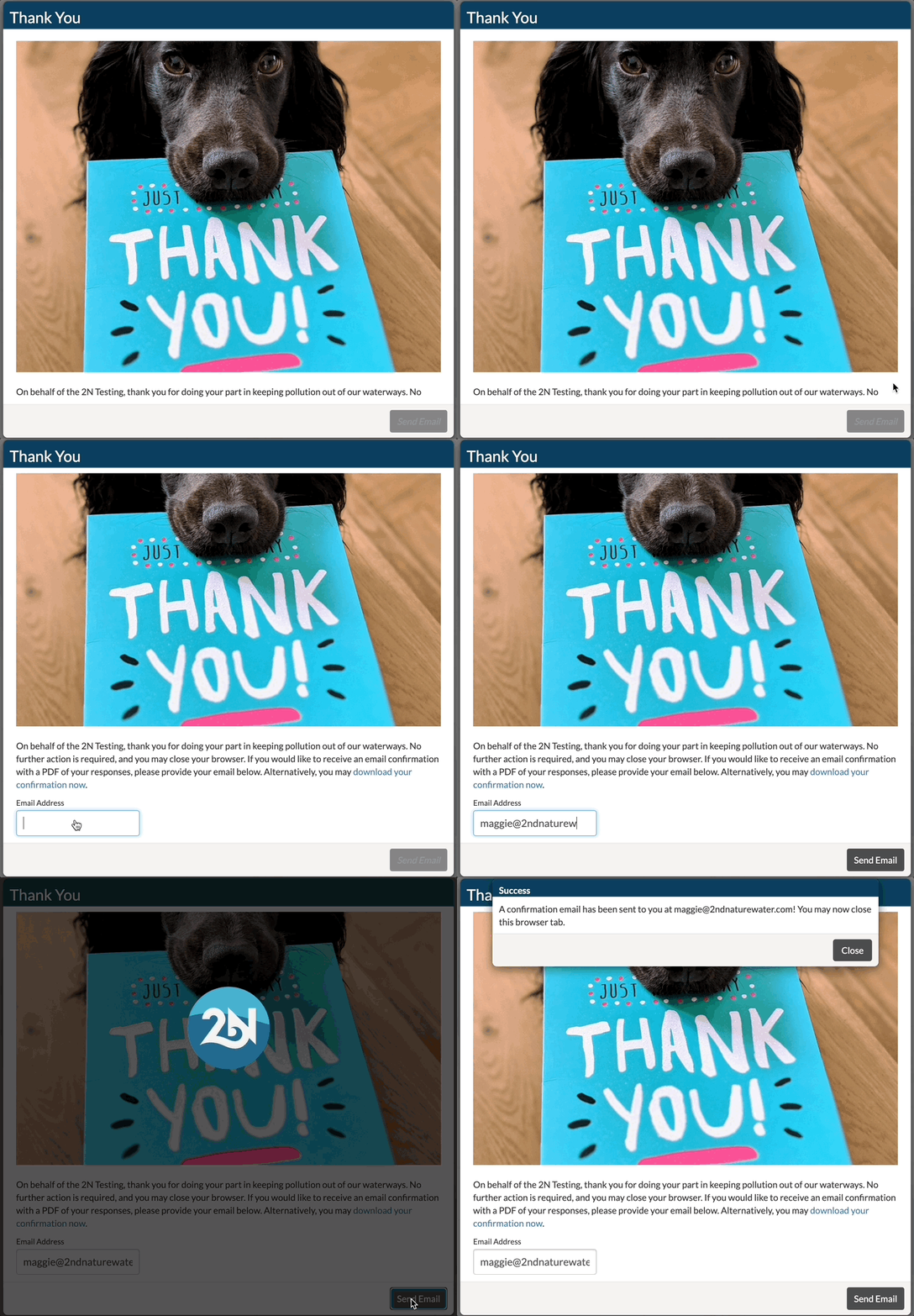
Once submitted, you will have the opportunity to download a copy of your response as a PDF, or choose to email it to yourself.
Troubleshooting
Why is the Submit button enabled on my form?
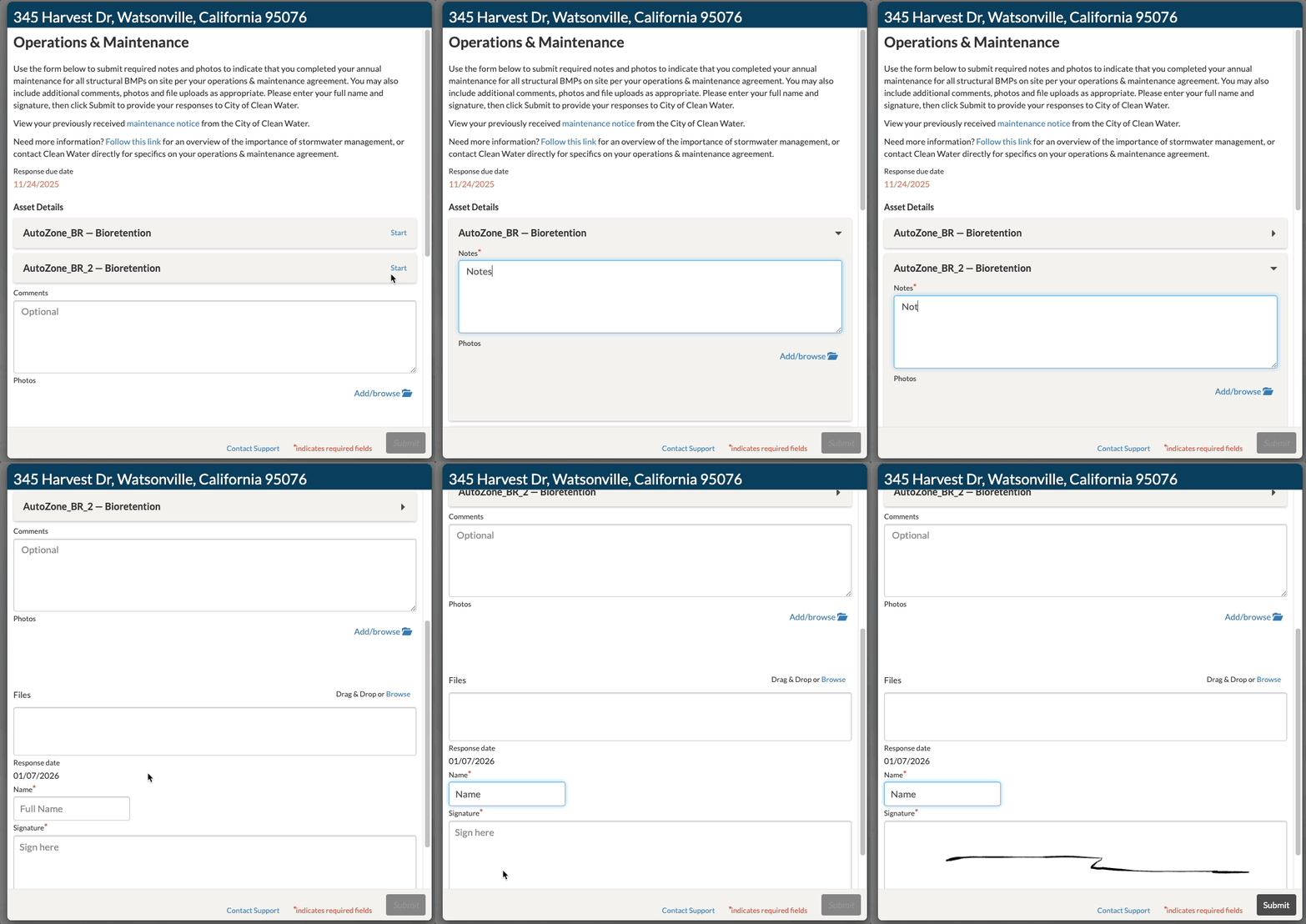
The Submit button is only enabled when all required fields are populated. Make sure that you have add Notes to each of the cards in the form.
If you are having any trouble, please Contact Support for help.